Anatomy of Zero-Touch AGM Setup: What Replaces Pressing the Button
Operations
Anatomy of Zero-Touch AGM Setup: What Replaces Pressing the Button
The Annual General Meeting (AGM) is the central event in the annual strata management workflow. This article pulls back the curtain on StrataPort’s AGM engine, which triggers a cascade of reporting and document creation, compilation, and distribution that replaces hours of manual labour.
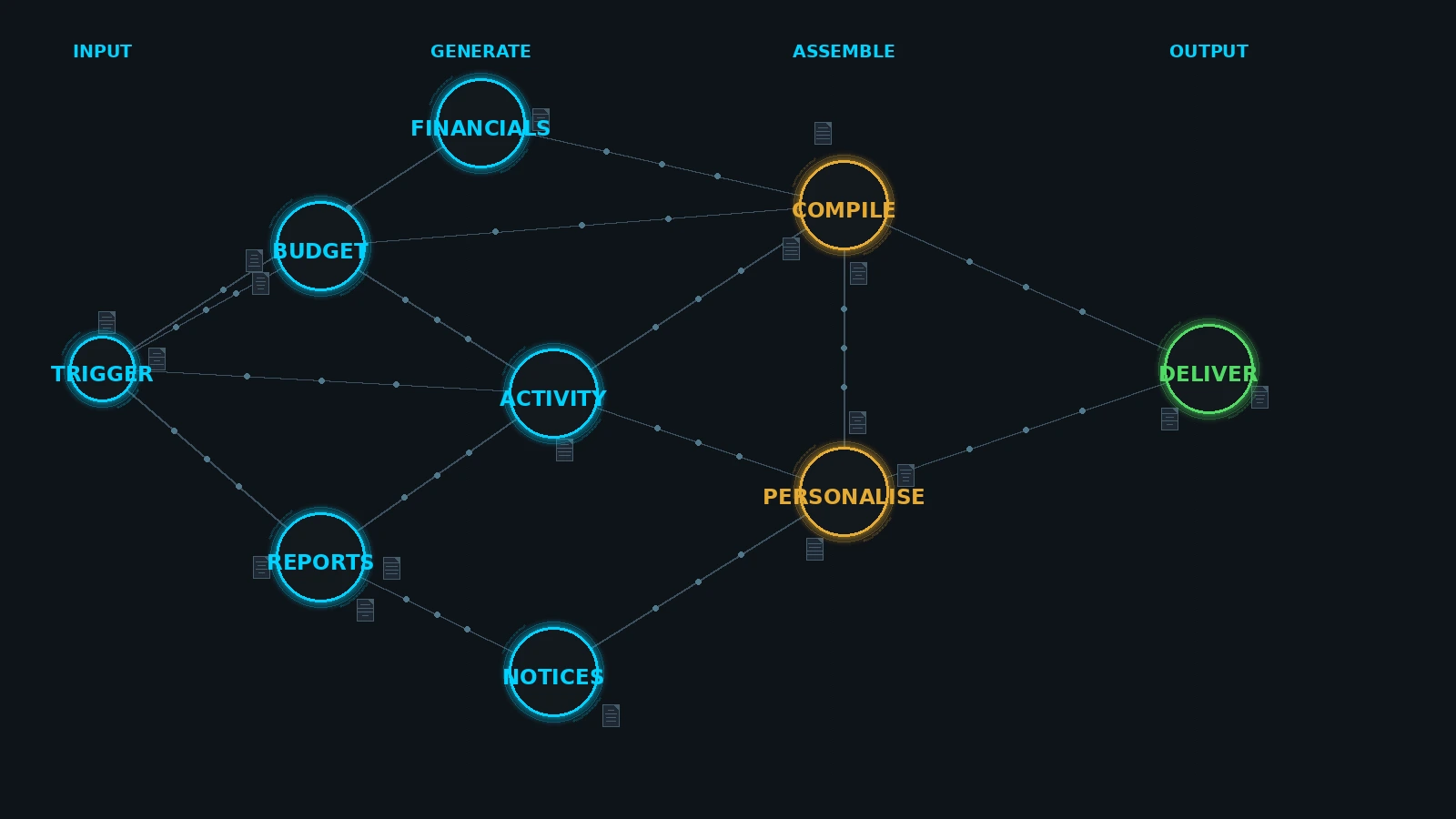
Ask any strata manager what they dread most, and the answer is often “AGM Season.” The sheer volume of documentation required to legally convene a meeting in 2026 is staggering: agendas, financials, insurance certificates, valuation reports, proxy forms, and nomination papers.
In legacy systems, compiling an AGM pack is a partial, if not fully, manual assembly job. In StrataPort it is a “Zero-Touch” computation.
Phase 1: The Automated Assembly
When you initiate an AGM in StrataPort, you aren’t just opening a template. You are triggering a logic engine.
What the AGM Engine Generates Automatically
-
FINANCIALSBudget, balance sheet, income/expenseThe proposed new Budget applying building-specific uplift rules, complete with a graphic year-on-year budget vs actual expenditure comparison. The Balance Sheet as at the end of the previous financial year, including end-of-year bank account balances. A comprehensive Income/Expense report.
-
COMPLIANCEValuation & BHS checksChecks multiple building metrics: Is an Insurance Valuation due or was a new valuation completed? Is a BHS audit required or was a new BHS audit completed?
-
THE PACKSingle branded PDFPulls the Insurance Certificate, FSG, Model Rules, and previous Minutes, generates a dynamic Index, applies page numbering, and merges it all into a single, branded PDF.
Phase 2: The Meeting (Smart Data Capture)
During the meeting, StrataPort doesn’t just record text; it captures data. When you record a vote or a decision, you are updating the system’s “truth.”
Attendance, quorum is calculated instantly based on lot entitlement liabilities including lot owner financial status.
Voting, electronic proxies lodged pre-meeting are automatically tallied.
Financials, adopting the budget automatically updates the levy schedule for the next year.
Phase 3: The "Post-Meeting" Cascade
This is where the magic happens. When the meeting is finalised, StrataPort executes the Post-Meeting Automation workflow.
Post-Meeting Automation Workflow
-
STEP 1Minutes DistributionMinutes are generated and sent to all owners via their preferred method (email/post).
-
STEP 2Work Order TriggersMaintenance, Valuations, BHS Audits, and Insurance Quotes, Endorsements and Renewals are automatically issued. All resolved meeting item values, such as the members elected to the committee and the scheme penalty interest parameters, are automatically updated.
-
STEP 3Levy GenerationThe new levy contributions are struck including pre-issues through to the next AGM, with fully automated management of adjustments for year-on-year budget fluctuations.
-
STEP 4Management Fee AdjustmentsAny variation in management fees due to year-on-year budget fluctuations are automatically calculated and resulting invoices issued.
“Zero-Touch” AGM Setup doesn’t mean the manager isn’t involved, it means the manager is involved in the meeting, not the paperwork. By automating the assembly and the follow-up, StrataPort frees the manager to focus on what matters: guiding the owners corporation through complex decisions.